Teacher feature · inside the app
Bring Bridge Classroom
into your teaching
Classroom tools are built into the same Scenario Mastery app your students already use. Once you enable teacher mode in your profile, you get three additional capabilities.
Create classrooms and invite students
Each classroom gets a unique link. Email it to your students — when they click it, they're enrolled in your class. Students who haven't signed up yet are guided through the 30-second registration.
Assign lessons to your class
Choose any lesson collection and assign it to a classroom. Students see your assigned lessons highlighted in their app so they know what to focus on.
Monitor student progress
See each student's mastery counts, recent activity, and which lessons they've been working on. Drill into any student for a detailed per-lesson breakdown with accuracy charts.
Teacher tools are part of the Scenario Mastery app — no separate account needed. To enable them, sign in to the app, open your profile, and tap "Become a teacher." It's instant.
Open the app
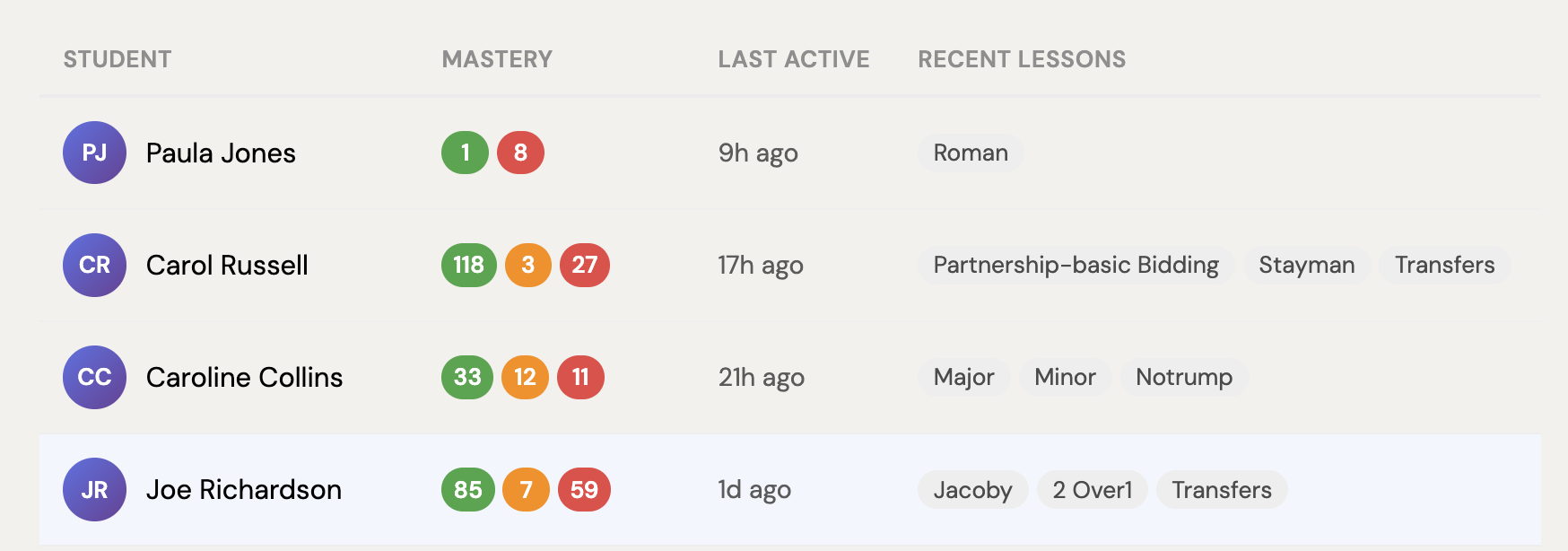
Student list view
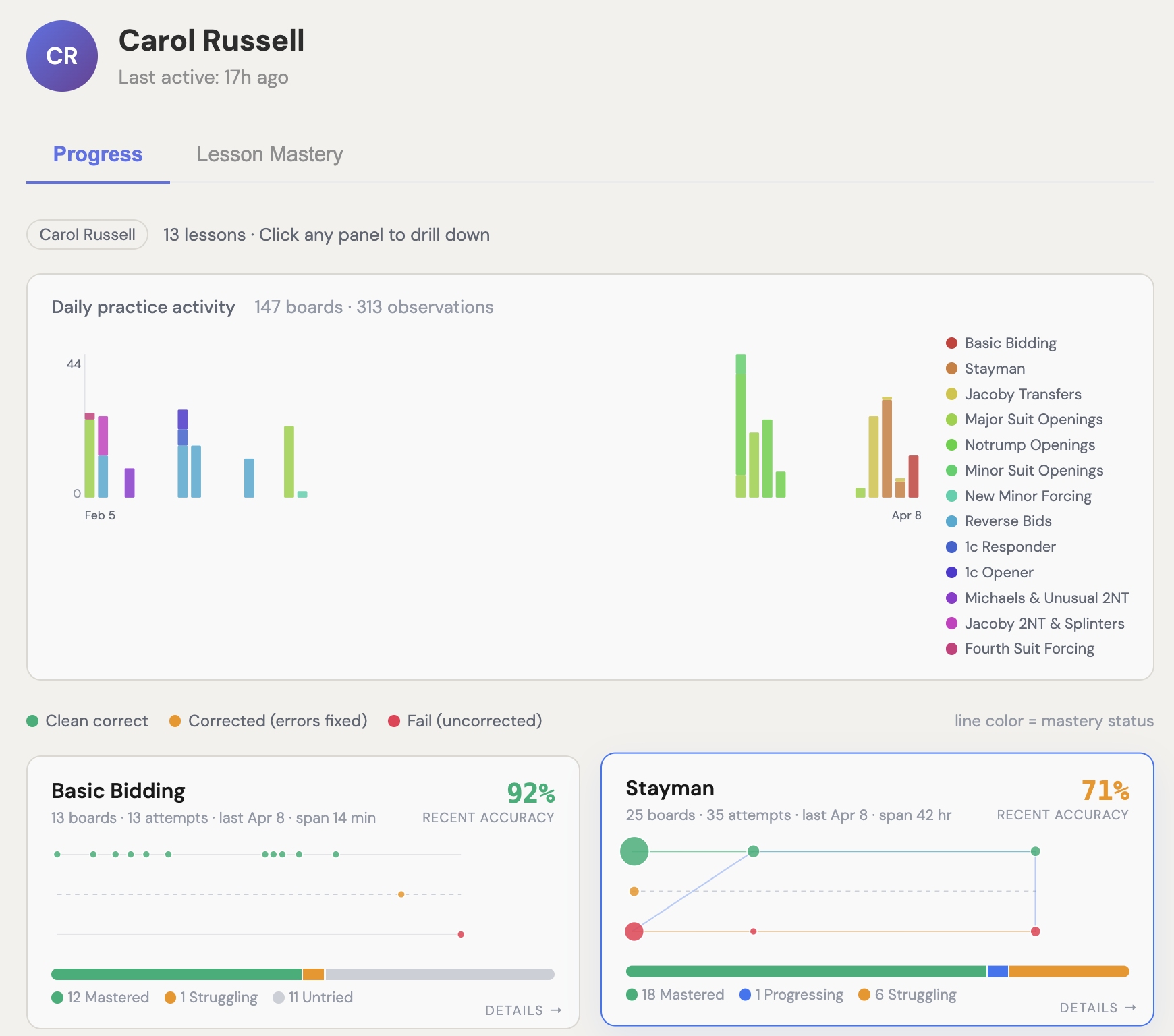
Student detail view
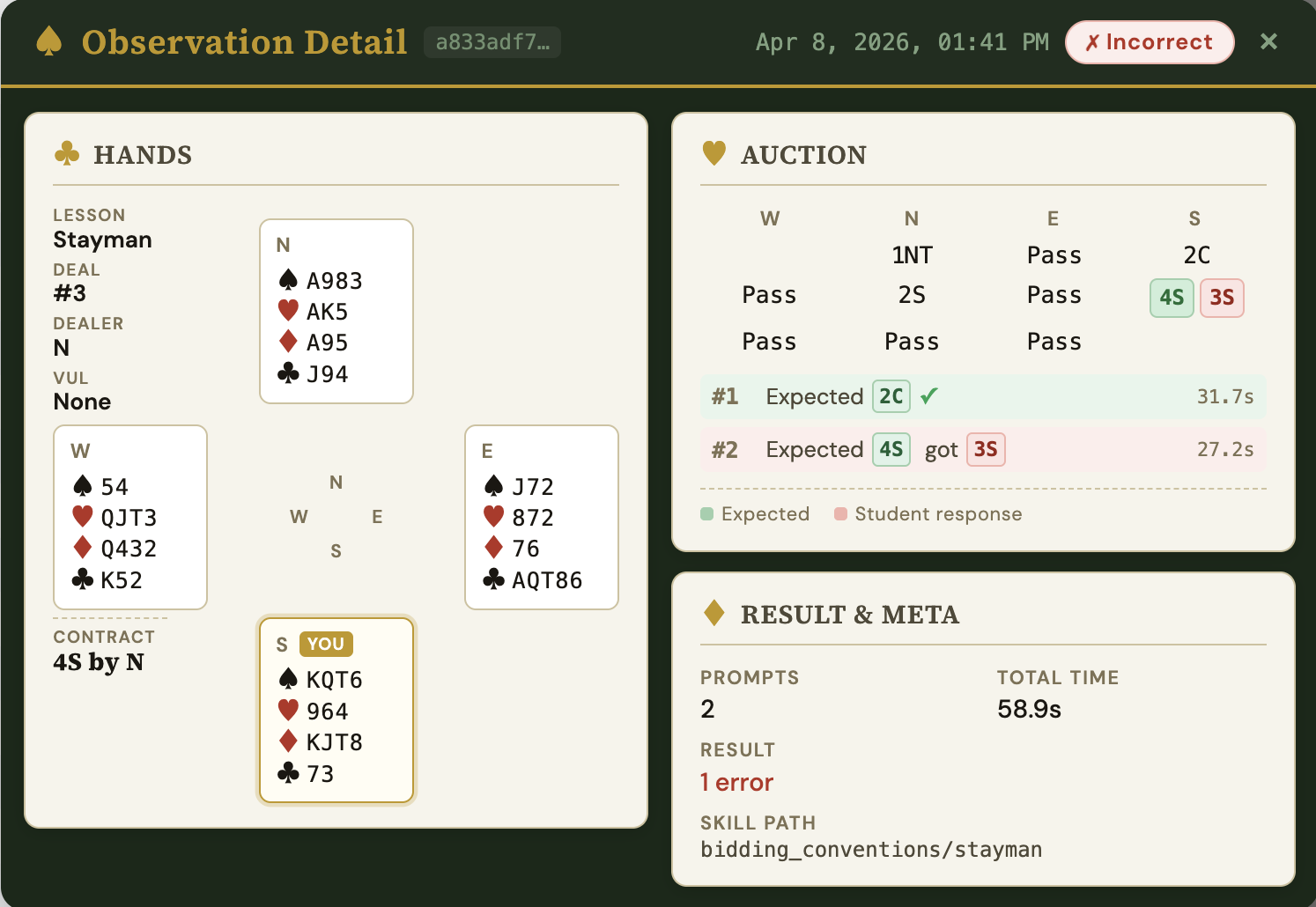
Observation detail view